
(A Comprehensive Breakdown of how much a custom WordPress site Cost for Small Businesses & Individuals)
(Disclaimer: This guide is designed to eliminate guesswork. All prices listed are estimates and are meant to illustrate relative value, not rigid quotes. Final costs depend entirely on scope, location, and technical requirements.)
If you are reading this, chances are you’ve been overwhelmed by conflicting quotes, technical jargon, and the baffling phrase, “It depends.” The truth is, asking “How much does it cost?” is like asking “How much does a car cost?”—it depends on whether you want a basic commuter vehicle, a luxury SUV, or a fully-equipped racing machine.
The cost of a custom WordPress site is not a single number. It is a composite formula made up of several pillars: Time + Expertise + Scope.
In 2026, a website must be more than just a digital brochure; it must be a fully functional, optimized, conversion-focused asset. It must operate 24/7, generate trust, and work harder than you do.
Our Goal with this Guide: To strip away the industry smoke and mirrors. We are going to break down the cost into understandable components, allowing you to walk into a consultation knowing exactly what you’re buying and, more importantly, what you are investing in.
🏗️ Chapter 1: The Blueprint—Deconstructing the Components of Cost

When a developer gives you a price, they are assigning a number to a checklist of deliverables. To understand the total cost, you must understand what makes up the “stack.”
A modern WordPress site costs money in five distinct categories. If you remove any one of these, the site’s performance, credibility, or functionality will suffer.
1. The Foundation (The Infrastructure: Domain & Hosting)
- What you are paying for: The address (Domain) and the land the house sits on (Hosting).
- The Cost: This is usually the smallest cost, but it is the most critical.
- The Technical Deep Dive:
- Domain Name: The unique identifier (e.g.,
yourlocalplumbers.co.uk). Costs are minimal annually (£10–£25). - Managed WordPress Hosting: This is not the same as cheap shared hosting. A good managed host handles backups, security patches, and performance caching for you. This is where you invest in reliability.
- Self-Hosting (Advanced): If you have massive traffic (e.g., a major national e-commerce store), you might need a Virtual Private Server (VPS). This adds significant complexity and cost but grants maximum control.
- Domain Name: The unique identifier (e.g.,
2. The Design & Visuals (The Look and Feel)
- What you are paying for: The aesthetic appeal and user experience (UX).
- The Technical Deep Dive:
- Pre-Built Templates/Themes: These provide a starting framework (like buying a pre-designed house plan). They are cheaper and faster to implement but can feel generic. Cost: Minimal to moderate.
- Custom Design/Development: This is when a professional UX/UI designer builds the site from scratch based on your brand identity. This ensures the site feels uniquely yours, maximizing trust. Cost: High.
- Copywriting: The text that convinces the visitor. Professional copywriting is not decoration; it is a conversion tool. This is arguably the single highest ROI element.
3. The Functionality (The Engine: Plugins & Integrations)
- What you are paying for: The tools that allow the site to do things. A basic site is static; a functional site is dynamic.
- The Technical Deep Dive: Plugins are the core of WordPress, giving it superpowers. Key functional areas include:
- SEO Plugins (e.g., Yoast/RankMath): Ensures search engines can find you. Cost: Low to moderate (sometimes paid).
- Security Plugins: Protecting you from malicious attacks. Cost: Moderate (crucial).
- Lead Capture/Forms: Collecting the names, emails, and problems of potential clients.
- Payment Gateways: If selling services online (e-commerce).
- Membership/Booking Plugins: Allowing customers to book appointments or pay subscriptions. Cost: High, depending on complexity.
4. Labor (The Human Touch: Development Hours)
- What you are paying for: The hours of highly skilled labor required to assemble the parts. This is where the bulk of the quote usually goes.
- The Breakdown: Development labor includes everything from coding the layout (front-end) to connecting the database (back-end) and testing every link.
- The Skill Divide: A good developer can build a site from scratch, but a Full-Stack WordPress Agency provides the management, ensuring the code is clean, secure, and scalable.
5. The Continuous Investment (The Long Game: Maintenance & Growth)
- What you are paying for: Keeping the lights on and keeping the engine running optimally.
- The Necessity: WordPress is constantly being updated for security and compatibility. Ignoring these updates is like ignoring a plumbing leak until the whole house floods.
- The Services: This includes monthly security audits, performance testing, and scheduled content updates (like adding new service areas or blog posts).
📊 Chapter 2: Costing by Business Need (The Three Tiers)

To make this tangible, we’ve organized the cost structure into three logical tiers, matching real-world small business needs.
🥉 Tier 1: The Foundational Site (The Digital Business Card)
- Best for: The brand-new sole trader, the single practitioner, or the limited-scope informational site.
- Primary Goal: Legitimacy and contact information.
- Key Features: Homepage, About Us, Services (Basic list), Contact Form.
- Estimated Cost Range: £1,500 – £4,000
- What to expect: The site will be visually clean, mobile-responsive, and fast. It tells people, “We are real, and we are here.” It requires minimal ongoing development effort from you.
🥈 Tier 2: The Growth Site (The Lead Machine)
- Best for: The local service company (plumbers, dentists, lawyers) with multiple service lines and a small team.
- Primary Goal: Converting a visitor into a qualified lead.
- Key Features: All Tier 1 features PLUS: Dedicated local service pages (e.g., “Drip Leak Repair in [Neighborhood X]”), a Testimonial/Review integration, a simple quote-request form, and foundational SEO structure.
- Estimated Cost Range: £5,000 – £12,000
- What to expect: This is the sweet spot for most local businesses. This site uses location-specific content and structured forms to guide the user to take a single, profitable action (e.g., “Book a consultation”).
🥇 Tier 3: The Authority Site (The Digital Headquarters)
- Best for: Businesses aiming for market leadership, multi-branch corporations, or those with a complex product/service catalogue.
- Primary Goal: Market dominance, proving technical and intellectual leadership.
- Key Features: All Tier 2 features PLUS: Advanced E-commerce integration, Member Login/Portal, Custom CMS development (building custom tools that don’t exist off-the-shelf), a professional blog engine, and advanced analytics tracking.
- Estimated Cost Range: £15,000 – £50,000+
- What to expect: This site functions like a digital employee. It handles memberships, processes complex transactions, and requires ongoing marketing and content management to stay relevant.
🚧 Chapter 3: The Undervalued Costs (The Investment Budget)

Most budget quotes forget to itemize these costs. Treating them as extras is a mistake—they are foundational.
🥇 The Content Cost (The Words)
A developer can build the most beautiful website, but if the text is generic, the site is useless. Hiring expert copywriters who understand your local industry is non-negotiable. They turn vague services into concrete, trust-building value propositions.
📸 The Visual Cost (The Proof)
Generic stock photos signal “amateur hour.” Your site needs high-quality, local photography:
- Before/After Shots (for tradespeople).
- Team Portraits (for professional services).
- Real Location Photos (showing you are genuinely in the community).
📈 The SEO Strategy Cost (The Traffic)
SEO isn’t a plugin; it’s a strategy. A $50,000 site with zero SEO plan is like a beautifully written book left in a closet. You need dedicated strategy work to guide search engine optimization, build local citations (Google Maps, Yelp, etc.), and secure quality backlinks.
🌟 Chapter 4: Building the Digital Command Centre (Advanced Functionality)
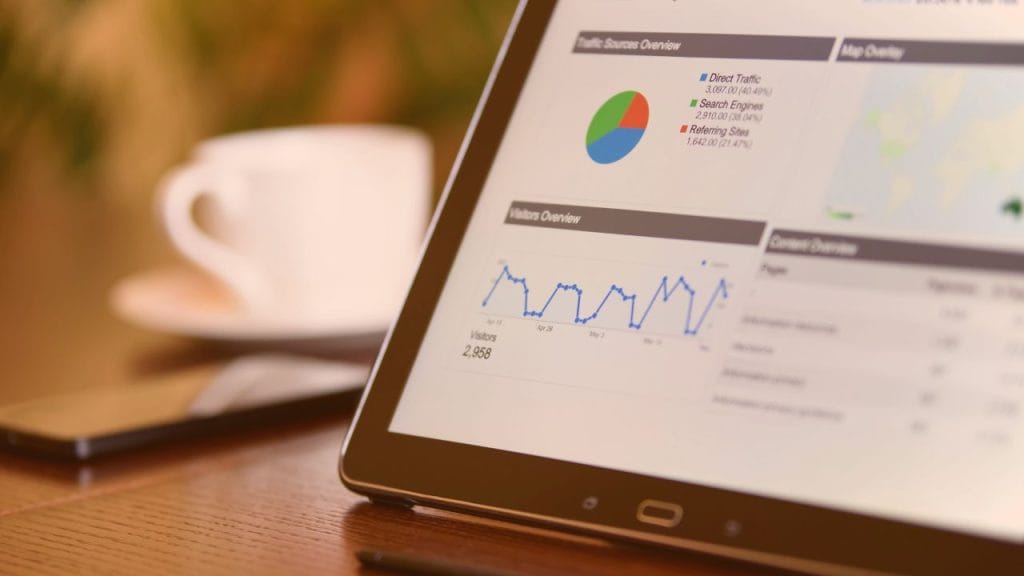
When a business moves beyond basic lead capture and into the realm of scalable operations, the website stops being a brochure and starts acting as a digital employee. This is where the most complex—and most expensive—elements of WordPress functionality come into play.
These aren’t simple plugins; they are custom, interconnected systems that require expert development and ongoing integration.
🔐 1. Membership and Portal Systems (The Private Club Feel)
If your business model involves recurring revenue or exclusive access (e.g., an online academy, a private legal advice network, or an ongoing maintenance service plan), you need a member portal.
- What it does: It provides a secure, password-protected area where registered users can access premium content, track service history, submit specialized forms, or pay bills.
- The Value: It builds loyalty. It turns a one-time transaction into an ongoing, predictable revenue stream.
- The Complexity: This requires user roles (Admin, Premium Member, Basic Member), secure payment integration, and complex database linking. The higher the customization required, the higher the cost.
💳 2. Advanced E-commerce (Beyond the Shopping Cart)
For physical goods, the cost is predictable. But for services, the commerce is more complicated. We’re not selling physical boxes; we are selling time, expertise, and outcomes.
- Service Booking Systems: We need integration with live calendars (like Google Calendar or specialized service management software) that allow clients to see real-time availability and book paid appointments instantly. This requires two-way communication between booking and payment systems.
- Productized Services: Instead of letting the customer contact you and then letting you quote them, you sell pre-defined packages online (e.g., “The Annual Boiler Service Kit”). This systematizes your sales funnel and reduces friction.
- The Integration Cost: The price increase here is due to the deep integration work—making sure the booking system talks perfectly to the payment gateway, which talks perfectly to your CRM.
🧩 3. Custom API and CRM Integration
The truly premium sites don’t just sit on WordPress; they talk to other business tools.
- Example: A client fills out a form (the website) the data automatically enters your central Customer Relationship Management (CRM) system (like HubSpot or Salesforce) it triggers an alert in your internal accounting software (QuickBooks).
- The ROI: This eliminates manual data entry, prevents human error, and saves your team dozens of hours a week. This cost is often seen as an efficiency investment, justifying a higher initial spend.
⚙️ Chapter 5: Writing Your Own Success Story (The Authority Engine)

The most significant differentiator between a £4,000 site and a £20,000 site is Content Strategy. A powerful website must be continually fed expert, valuable content. This chapter outlines how to make that content a profit center.
📝 The Role of Content Marketing: From Word Count to Lead Count
Anyone can write an article. A professional agency writes a lead magnet. The purpose of every blog post must be to move the reader one step closer to calling you.
- Focus on the Pain Point, Not the Solution: Don’t write: “Our plumbing service is excellent.” Write: “The 5 Warning Signs That Your Boiler Is About to Fail (And What to Check Yourself).” The article positions you as the authority who knows the danger signs, thus creating urgency and need for your service.
- The “Knowledge Gap” Strategy: Your content should always teach something the visitor didn’t know they needed to know. The gaps are then filled by your services.
- (Example: Article teaches about the complexities of UK property law $\rightarrow$ The reader needs a solicitor $\rightarrow$ They contact you.)
🗺️ The Local Citation Funnel (Local SEO Deep Dive)
Local SEO is not about stuffing keywords; it’s about proving proximity and relevance.
- Schema Markup: This is the technical language that tells Google, “This site belongs to this specific business, at this specific address, and offers these services.” This is not optional; it is the modern requirement for ranking locally.
- The Citation Map: Your website needs content that naturally references the local area in multiple ways:
- City: (e.g., “The best service in Leeds…”)
- Neighborhood: (e.g., “…for the residents of Headingley…”)
- Landmarks: (e.g., “…near the Cathedral and the West Gate.”)
- Action: We structure your content to maximize these local keywords without sounding robotic.
🚀 Proactive Content Calendars (The Predictable Flow)
The biggest mistake is publishing a month of blog posts and then running out of ideas for the next year.
- A sophisticated site package includes a Content Roadmap. This is a 12-month plan that guarantees:
- A mix of educational (blog) content.
- A mix of commercial (service pages) content.
- A mix of trust content (case studies and local news mentions).
- The Benefit: This guarantees Google sees you as an active, consistent expert, which is the single most powerful signal of authority.
🔮 Chapter 6: Future-Proofing Your Investment (The AI & Adaptation Layer)

Finally, we must look forward. A website built perfectly today can feel outdated in two years. In 2026, the web is adapting rapidly due to AI and new search methodologies.
What to ask your developer to include:
- AI Content Workflow: Build the site with enough flexibility (like designated areas for prompt-generated summaries or AI-generated Q&As) to easily integrate tools like ChatGPT or Bard as they become standard workflow components.
- Structured Data Flexibility: The site must be built using clean, semantic code that can handle future search requirements, such as voice search or visual search results.
- API Readiness: Ensure the development structure can accept data from third-party AI tools without requiring a complete rebuild.
🏆 Chapter 7: The Executive Summary (The 5-Minute Read)

If you only read one thing from this entire guide, let it be this. This is your single-page takeaway—the talking points that will make you sound knowledgeable, confident, and ready to invest.
What a Custom WordPress Site Actually Is:
It is not a webpage. It is a sophisticated, always-on, digital employee that works 24/7 to generate trust, capture leads, and prove your authority, even when you are sleeping.
The Three Things You Are Really Buying:
- The Asset: A robust, beautiful, mobile-first foundation (The Code).
- The System: The integrations (CRM, Booking, etc.) that make it operational (The Function).
- The Engine: The continuous content plan and SEO strategy that drives traffic (The Growth).
The Core Principle to Remember:
A cheap website costs you more than it saves you. The real cost is the lost revenue from a lack of credibility, poor user experience, or invisibility on Google Maps.
✅ Chapter 8: Your Zero-to-Authority Action Plan (Next Steps)

Knowing the theory is only half the battle. This checklist is designed to eliminate all guesswork and give you a clear sequence of actions, no matter what your industry is.
Step 1: The Audit (Today)
- Action: Find your top 3 competitors online.
- Task: Open their websites and rate them on a scale of 1–5 for Clarity, Speed, and Trust Signals (visible accreditations/reviews).
- Outcome: This audit reveals the gaps your current online presence is falling into.
Step 2: Define the Core Conversion (This Week)
- Question: What is the single most valuable action a visitor can take? (Is it “Call Us Now,” “Book a Quote,” or “Download Our Guide”?)
- Task: Every single page on your new site must guide the visitor toward that one action. This becomes your guiding design principle.
Step 3: Build the MVP (Minimum Viable Product)
- Don’t wait for perfection. Focus on getting the Tier 2: Growth Site live first.
- Focus: Ensure the site has its basic functionality (Contact Forms, Local SEO structure) and is hosted on a reliable, high-performance platform. Get something published.
Step 4: Commit to the Engine (Ongoing)
- The Single Most Important Habit: Dedicate 30 minutes every two weeks to reviewing your local search results. Google is always changing. This shows commitment and keeps your site relevant.
🚀 Final Thought
Building a digital presence is not a destination; it is a continuous journey. By adopting this phased, strategic approach, you are no longer simply spending money; you are investing in guaranteed, compounding growth.


